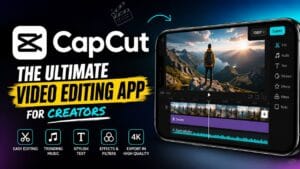
Most video editing apps include a collection of essential tools that form the foundation of the editing process. These functions typically include cutting clips, merging footage, adjusting speed, adding transitions, and managing audio tracks. Together, these features allow creators to refine raw recordings into polished productions.
Advanced apps expand these capabilities with color correction, motion graphics, green-screen support, keyframe animation, and multi-layer editing. Such features give creators greater control over the visual style and overall quality of their projects. As users gain experience, they can leverage these tools to develop unique editing techniques and elevate their content.
How Video Editing Apps Have Evolved
The evolution of video editing technology has been remarkable. In the past, editing required specialized equipment, significant technical expertise, and substantial financial investment. Today, sophisticated editing capabilities are available through affordable or even free applications. This transformation has dramatically lowered barriers to entry and encouraged widespread creativity.
Artificial intelligence has further accelerated innovation. Modern editing apps can automatically generate captions, identify key moments, stabilize shaky footage, and recommend edits. These advancements reduce manual effort and allow creators to focus more on storytelling and less on technical complexities. The future promises even greater automation and creative possibilities.
Key Features to Look for in a Video Editing App
Choosing the right video editing app depends on your goals, experience level, and content style. While every app offers unique capabilities, certain features are essential for a productive editing experience. Understanding these features can help users make informed decisions and maximize their creative potential.
User-Friendly Interface
A clean and intuitive interface is one of the most important aspects of any editing app. Beginners often feel overwhelmed by complicated software filled with technical jargon and crowded menus. A well-designed interface simplifies navigation and helps users locate tools quickly, reducing frustration and improving workflow.
The best editing apps strike a balance between simplicity and functionality. They provide easy access to essential features while still offering advanced options for experienced users. This flexibility ensures that creators can continue using the same platform as their skills grow over time.
Advanced Editing Tools
While simplicity is important, powerful editing tools are equally valuable. Features such as multi-track editing, speed control, keyframe animation, and precision trimming provide greater creative freedom. These tools allow editors to produce more dynamic and visually engaging videos.
Advanced editing capabilities are particularly useful for creators who want professional results. They enable detailed adjustments, smoother transitions, and more sophisticated storytelling techniques. Even casual users can benefit from having access to these tools when working on special projects.
Effects, Filters, and Transitions
Visual enhancements can dramatically improve the appearance of a video. Effects, filters, and transitions add style, mood, and energy to content. They help maintain viewer interest and create a cohesive visual identity across projects.
The key is moderation. Effective editing uses enhancements strategically rather than excessively. Thoughtfully applied effects can strengthen storytelling, while overuse can distract viewers. The best editing apps provide a wide range of customizable options, allowing creators to achieve their desired look without sacrificing quality.
Benefits of Using a Video Editing App
Video editing apps offer numerous advantages for creators, businesses, educators, and marketers. They simplify the production process, improve content quality, and help users communicate more effectively. These benefits extend far beyond aesthetics and can significantly impact audience engagement and success.
Creating Professional Content
Professional-looking videos build credibility and trust. Whether promoting a brand or sharing personal experiences, polished content creates a positive impression. Video editing apps make it possible to achieve professional results without expensive equipment or formal training.
Features such as color correction, audio enhancement, and motion graphics help elevate production quality. By refining visual and audio elements, creators can produce content that appears more polished and appealing. This professionalism often translates into higher viewer retention and stronger audience connections.
Saving Time and Effort
Modern editing apps are designed for efficiency. Templates, presets, and automated tools streamline repetitive tasks and reduce production time. Instead of spending hours manually editing footage, users can focus on creative decisions and storytelling.
Automation has become especially valuable for content creators who publish regularly. AI-powered features can generate captions, suggest edits, and optimize video formats for different platforms. These capabilities increase productivity and help creators maintain consistent publishing schedules.
Video Editing Apps for Different Users
Not all creators have the same needs. Some prioritize simplicity, while others require advanced functionality. Understanding your goals can help identify the most suitable type of editing app.
Beginners
Beginners benefit from apps that emphasize ease of use. Simple timelines, drag-and-drop functionality, and guided tutorials help new users learn editing fundamentals without feeling overwhelmed. These apps often include ready-made templates that simplify content creation.
As confidence grows, beginners can gradually explore more advanced features. This learning progression makes editing more enjoyable and encourages long-term skill development.
Social Media Creators
Social media creators require speed, flexibility, and platform-specific optimization. Their content often includes captions, transitions, trending effects, and vertical formats designed for mobile viewing. Editing apps tailored to social media workflows can significantly improve efficiency.
These tools help creators respond quickly to trends, maintain consistency, and engage audiences effectively. Fast editing capabilities are particularly valuable in environments where timing and relevance influence content performance.
Professional Editors
Professional editors demand greater control and precision. They require advanced tools for color grading, audio mixing, visual effects, and project management. Professional-grade apps provide extensive customization options that support complex productions.
While these applications may involve steeper learning curves, they offer unmatched creative flexibility. Professionals rely on them to produce films, advertisements, documentaries, and other high-quality media projects.
Tips for Editing Better Videos
Successful video editing combines technical skills with creative judgment. Small improvements can dramatically enhance the final result and increase audience engagement.
Planning Before Editing A strong edit begins before the editing process itself. Organizing footage, defining objectives, and creating a rough structure can save significant time later. Planning helps editors identif the most important moments and build a clear narrative.
Think of editing like constructing a building. Without a blueprint, the process becomes inefficient and chaotic. A well-defined plan provides direction and ensures that every clip serves a purpose within the overall story.
Using Music and Effects Wisely
Music adds emotion and energy to videos. The right soundtrack can transform an ordinary scene into a memorable experience. Effects can also enhance storytelling when used thoughtfully and sparingly.
Balance is essential. Excessive effects or loud music can distract viewers from the message. Effective editing prioritizes clarity while using enhancements to support the story rather than dominate it.
Common Mistakes to Avoid
Even experienced creators make mistakes that reduce video quality. Recognizing these issues can help editors produce more polished and engaging content.
Overusing Effects
One of the most common mistakes is relying too heavily on visual effects. While flashy transitions and animations may seem exciting, excessive use can make videos feel cluttered and unprofessional. Simplicity often creates a stronger impact.
The best edits use effects intentionally to emphasize key moments or reinforce mood. When every scene contains dramatic enhancements, viewers may become distracted and lose focus on the core message.
Ignoring Audio Quality
Audio quality is often overlooked, yet it plays a critical role in viewer satisfaction. Poor sound can make even visually stunning videos difficult to watch. Background noise, inconsistent volume levels, and unclear speech can quickly drive audiences away.
Investing time in audio editing can significantly improve overall production quality. Clear narration, balanced music, and clean sound effects create a more immersive viewing experience and enhance audience retention.
Future of Video Editing Apps
The future of video editing is being shaped by artificial intelligence, cloud computing, and machine learning. These technologies are transforming how creators produce and share content.
AI-Powered Editing
AI-powered editing tools are becoming increasingly sophisticated. They can identify highlights, generate captions, remove backgrounds, and automate repetitive tasks. This technology reduces editing time and makes advanced capabilities accessible to more users.
As AI continues to improve, creators will spend less time on technical processes and more time focusing on creativity. Automated workflows will streamline production while maintaining high-quality results.
Cloud-Based Collaboration
Cloud technology is enabling seamless collaboration between creators, editors, and clients. Teams can work on projects remotely, share assets instantly, and provide feedback in real time. This flexibility improves efficiency and supports global creative partnerships.
Cloud-based workflows also reduce hardware limitations by allowing users to access projects from multiple devices. As internet infrastructure improves, collaborative editing will become even more accessible and powerful.
Conclusion
Video editing apps have transformed the way people create and share content. They empower beginners, support professional creators, and provide businesses with effective tools for communication and marketing. From simple trimming functions to advanced AI-powered features, these applications make high-quality video production more accessible than ever before.
The demand for video content continues to grow across every industry. As technology advances, editing apps will become smarter, faster, and more intuitive. Creators who embrace these tools can enhance their storytelling, engage audiences more effectively, and unlock new opportunities in the digital world. Whether you are producing videos for fun, education, marketing, or professional projects, the right video editing app can become your most valuable creative companion.